Togeda Bridge
Browsers can't load plug-ins. Togeda Bridge is a small free app for Mac and Windows that runs next to your browser and hosts the plug-ins you already own: Audio Units (Mac), VST3 and CLAP. Their audio goes to and from Togeda; their windows open on your desktop as usual.
Bridge also brings in your MIDI controllers, prints plug-ins into exports and Commit Track, and lets Safari and Firefox use Places (folders on your computer).
Install
| Download | Needs | |
|---|---|---|
| Mac | Togeda-Bridge-macos.zip | macOS 12 or later, Apple silicon or Intel |
| Windows | Togeda-Bridge-windows.zip | Windows 10 (1903) or later, 64-bit |
- Mac: unzip, move Togeda Bridge to Applications and open it. The app is signed and notarized by Apple.
- Windows: unzip and run Togeda Bridge.exe. It is not code signed yet, so Windows SmartScreen asks first: choose More info, then Run anyway.
Togeda Bridge updates itself on both systems. Until it runs, Track View and the browser's Plug-ins section show a Download Togeda Bridge link for your system.
Pair it with your browser
- In a Togeda project, choose Open Togeda Bridge (in Track View, or in the Plug-ins section of the browser). The first time, open the app yourself once; after that this button starts it, and your browser asks once whether it may open Togeda Bridge.
- Togeda Bridge shows a six-digit code. Type it and choose Pair.
You pair once per browser. After that Togeda finds Bridge by itself, also after a reload, and plug-ins load without asking.
A code lasts 5 minutes; Bridge then shows a new one. After three wrong codes, Bridge shows Pairing paused and accepts no code until you choose New Pairing Code (Cmd+N on a Mac, Ctrl+N on Windows). This stops other programs or pages from guessing the code.
Use plug-ins
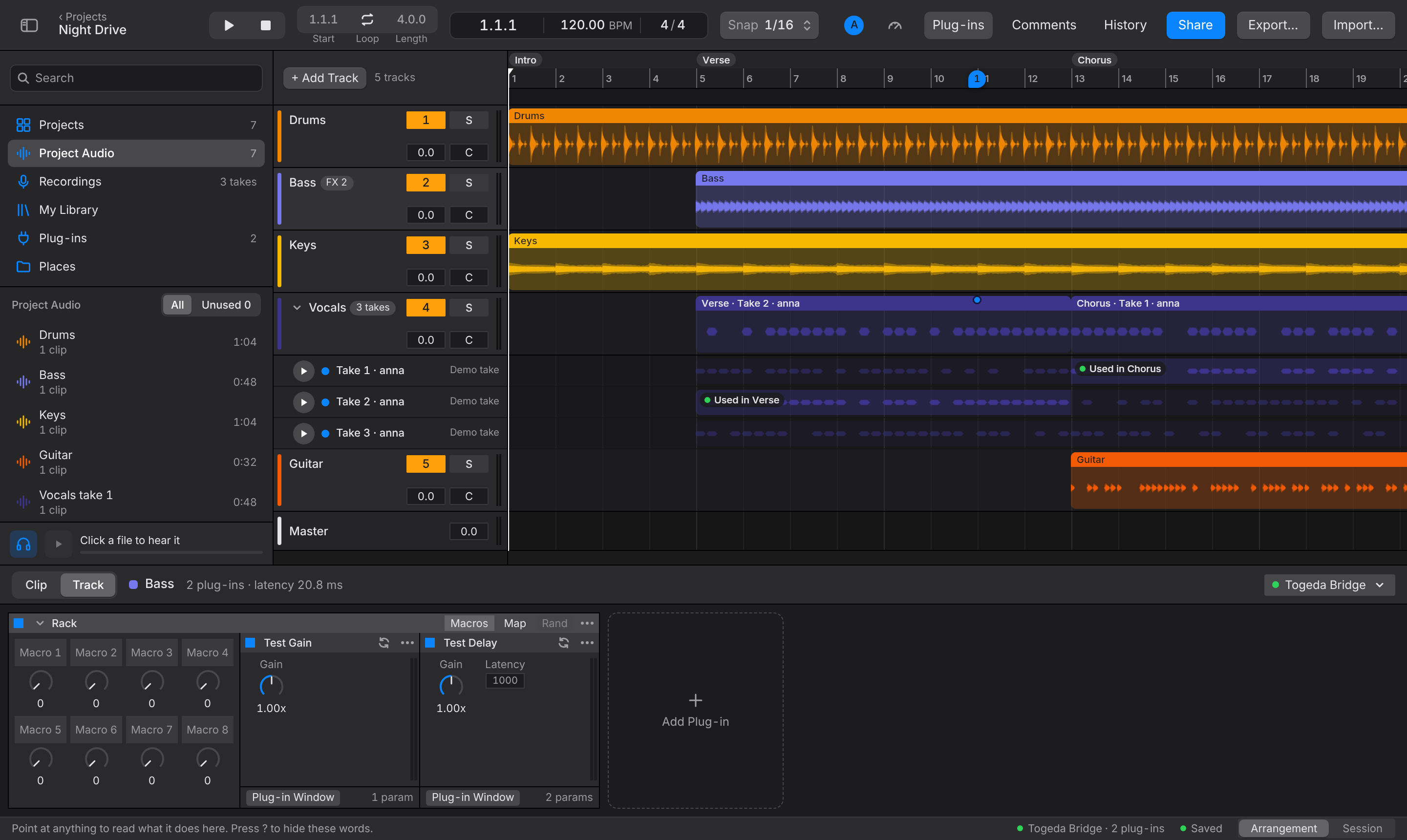
- The Plug-ins section of the browser lists every plug-in Bridge found. Drag one onto a track, or into Track View.
- Plug-in Window on a plug-in card opens its own window on your desktop.
- The Togeda Bridge button at the top right of Track View shows the round-trip time, dropouts and where the CPU goes. If your computer falls behind, Bridge skips audio that would arrive too late, so it catches up as soon as the load drops. The menu says how much it skipped.
- After installing new plug-ins, choose Rescan Plug-ins in the Plug-ins section's right-click menu.
Shared projects
- Plug-ins run on the computer of the person who is listening. Collaborators need the same plug-ins installed and their own Bridge to hear them. A card says Not installed on this Mac when a plug-in is missing; the track then plays without it. To share the sound itself, use Commit Track.
- A plug-in's settings are saved with the project a moment after you stop changing them, so they open the same for everyone and in every saved version. Settings up to 4 MB are kept; offline, up to 180 KB.
Limits and safety
- Togeda runs plug-ins on up to 64 tracks at once, Main and returns first. Past that, a track's plug-in cards say Plays without it and the track plays dry.
- Bridge scans your plug-ins in small background helpers, so a plug-in that crashes or never finishes loading can't take Bridge down. Such plug-ins are skipped, and the Bridge window lists them by name. Press Try Again there, or Rescan, once you've fixed them (with an update or a license, for example).
- Togeda sends each plug-in's name and the names of its controls once, so it can draw better pictures on plug-in cards. It never sends audio, settings or who you are. Turn off Share plug-in control names in the Togeda Bridge menu to stop it.
See Mixing for racks and macros.